If you’ve spent any time looking into marketing or CRM tools, you’ve almost certainly come across HubSpot.
Over the past two decades, HubSpot has become one of the most complete business platforms on the market.
We’ve got a lot of clients who use it – some a little, some a lot. But before you dive in, it’s worth asking: is HubSpot actually right for your business?
What HubSpot offers
The platform can be quite daunting to get a handle on, with so many packages and pricing models.
Broadly, it starts with a base CRM (Customer Relationship Management) platform. This has a free tier, so you can get started without spending anything and scale up as your business grows.
A CRM tool helps you to manage customer enquiries, ongoing conversations, support requests and so on.
It might help you to see what customers are looking at on your website even before they get in touch, so you can understand the ‘customer journey’ better and try to improve it.
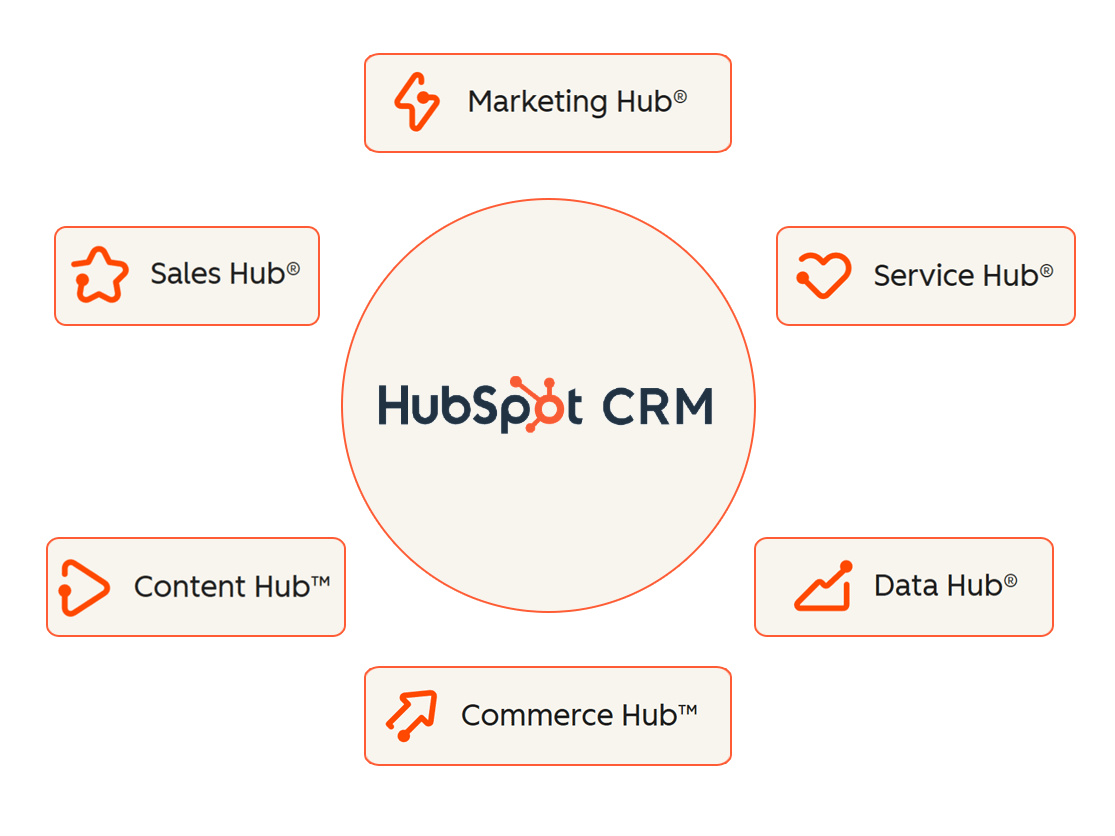
Extra features are included in set of ‘Hubs’ or add-on packages.
- Marketing Hub – Tools for email marketing, automation, SEO, and lead nurturing.
- Sales Hub – Deal tracking, email sequences, and pipeline management.
- Service Hub – Ticketing, customer support and customer feedback tools.
- Content Hub – Content marketing, including tools like landing pages and email newsletters
- Data Hub – Data management tools designed to help you get more out of the data you collect
- Commerce Hub – Designed to help you collect payments and automate billing.
All these tools are increasingly leaning into ‘AI’ to assist with day-to-day tasks.
The good parts
HubSpot’s best points are its simplicity and integration options. Everything from email campaigns to customer service tickets lives in one clean interface.
The free tools are decent and the paid plans offer a lot of reporting and analytics.
Adding a HubSpot form to your site is as simple as pasting in some embed code, or using one of the integrations available for the most popular website CMSs, like the WordPress plugin.
It also has a solid API which is easy to work with, so you can in principle connect just about anything to your CRM.
For small and medium-sized businesses that want to manage marketing and sales in one place, it can be a one-stop solution.
The downsides
When you need to move beyond the basic free tools, one of the biggest downsides of HubSpot is how quickly the cost scales up.
The pricing can be somewhat complex with various bundles, though Hubspot is moving to simpler ‘per-seat’ pricing for new customers.
To take just one example – Marketing Hub – the starter plan for small teams is a palatable $14AUD / $16NZD per seat per month (at the time of writing) – a seat being an account for one of your team members. This gets you some nice benefits like removing the HubSpot branding from forms, email marketing and live chat.
The next step up to Marketing Hub Professional is quite a hefty leap: ~$1200AUD / $1400NZD per month, which includes three seats. There’s also a one-off onboarding fee of around $4300AUD / $5000NZD. That gets you a lot more features, but it’s not even the top tier…
Marketing Hub Enterprise is around $5500AUD / $6300 NZD per month with 5 seats, plus an onboarding fee of around $10,000AUD / $12,000NZD. Ouch.
To be fair, the clue is in the name ‘enterprise’ – this level is aimed at larger businesses, but certain plan limits can push even relatively small-to-medium businesses towards this level.
You get up to 2000 marketing contacts on the Professional tier, which is quite a few – but certainly within the realms of possibility for a lot of businesses. Beyond that you’re into Enterprise territory.
If you’ve centered your business practices and processes around Hubspot, you’re left with the choice of paying up or looking for alternatives.
Of course, that’s a fundamental limitation with any proprietary platform – if you rely on it, you’ll have to pay whatever the vendor wants to charge.
This also known as ‘vendor lock-in’, and it’s part of why we prefer open-source solutions for a lot of our web work. You might need to spend a bit more up front, but owning your own system or website tends to mean lower ongoing costs, with more control and freedom.
How Mogul’s clients use HubSpot
The most common feature our clients use is HubSpot forms. These provide a convenient way to add a contact form to your website, and neatly avoid common issues around email notifications not arriving.
Enquiries arrive in Hubspot, where they can be automatically assigned to your team members for follow-up.
We’ve helped clients with various other HubSpot-related projects over the years:
- Moving blogs onto the HubSpot platform, and in some cases moving blogs back out of it – mainly due to the limitations around template design, and the slightly awkward arrangement of splitting content between your website and an external platform.
- Design and implementation of custom branding and templates for HubSpot marketing emails.
- Design and build of HubSpot landing pages
- Complex multi-step forms
- Hybrid website / HubSpot features which gather data from something on the website – for example, a product configurator or a WooCommerce cart – and populate hidden fields on a HubSpot form. We’ve built several ‘get a quote’ features for clients as an alternative to checkout on their ecommerce stores, where a hidden field on a Hubspot form is synced with the contents of the visitor’s shopping cart.
- API integrations, which send submissions to a HubSpot form without actually using the native HubSpot form at all. One example of this is Hustler’s ‘Find a Dealer‘ feature.
- Sending custom event data based on user interactions
- Workflow setup – workflows are sets of rules and actions you can set up within Hubspot to decide what happens when an enquiry arrives. For example, you might assign the enquiry to a specific team member based on a ‘region’ field on the form, so different team members can handle enquiries from different regions. You might also send a ‘thanks for your enquiry’ email immediately, then a follow-up email a few days later to ask for feedback, or encourage the visitor to subscribe to your email newsletter.
In conclusion
HubSpot has a great range of features, but they do come at quite a cost.
We generally don’t recommend splitting your public-facing content across your website and HubSpot (blog, landing pages) – especially if you have the flexibility of a WordPress site – but it’s a really good CRM platform.
For more complex features where you’d need a high-level Hubspot plan, it can make more sense to take a hybrid approach; either using other platforms in addition to Hubspot, or building certain features into your website where you have lower ongoing costs, and allowing you to stay on a lower-tier Hubspot plan.
Need some help or advice around HubSpot? Let’s talk